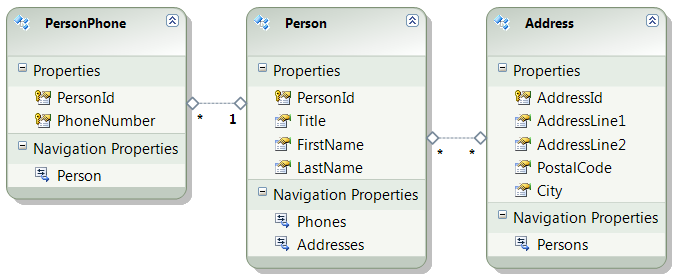
Many development teams and database administrators use views to create an abstraction layer on top of a physical data model. In this article I'll show you how to build an Entity Framework 4.0 (EF4) model upon such a set of views. I'll create a couple of views in SQL Server -some of them indexed-, import them in a model using the Visual Studio designer, decorate them with different types of associations (foreign key and mapped table), and finally attack the model with some Linq queries. This is how the model looks like:
Creating the views
Views that are directly consumed by your application should be stable. That's why I prefer such views to be declared with the SCHEMABINDING option:
CREATE VIEW U2UConsult.Person WITH SCHEMABINDING
AS
SELECT BusinessEntityID AS PersonId,
Title,
FirstName,
LastName
FROM Person.Person
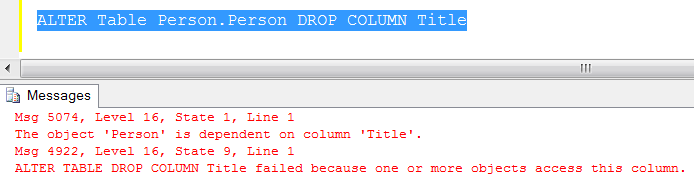
The SCHEMABINDING option protects a view against modifications to the schema of the underlying tables, at least modifications that would invalidate that view. E.g. it becomes impossible to drop a column on which the view relies:
Optional step: indexing the views
Sometimes it makes sense to persist the view on disk and let SQL Server make sure that its content remains in sync with the underlying tables. This is very useful for complex views (with lots of joins and calculations) on stable tables. All we need to do is creating a clustered index on the view:
CREATE UNIQUE CLUSTERED INDEX [IUX_Person]
ON [U2UConsult].[Person]([PersonId])
WITH (FILLFACTOR = 100)
Importing the views
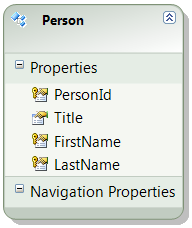
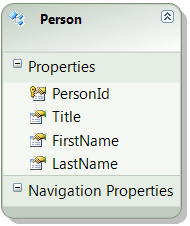
You import a view into an entity model just like you import a table. But views -even indexed ones- can not have primary or foreign keys in the database, so there's no metadata to import. The visual designer overcompensates this by inferring a key composed of all non-nullable columns. This is not a good idea: the first thing you need to do is define the primary key of the view:
| before |
after |
 |
 |
Now do the same steps for the Address view:
CREATE VIEW U2UConsult.Address WITH SCHEMABINDING
AS
SELECT AddressID AS AddressId,
AddressLine1,
AddressLine2,
PostalCode,
City
FROM Person.Address
GO
CREATE UNIQUE CLUSTERED INDEX [IUX_Address]
ON [U2UConsult].[Address]([AddressId])
WITH (FILLFACTOR = 100)
GO
Defining 1-to-1 or 1-to-many relationships
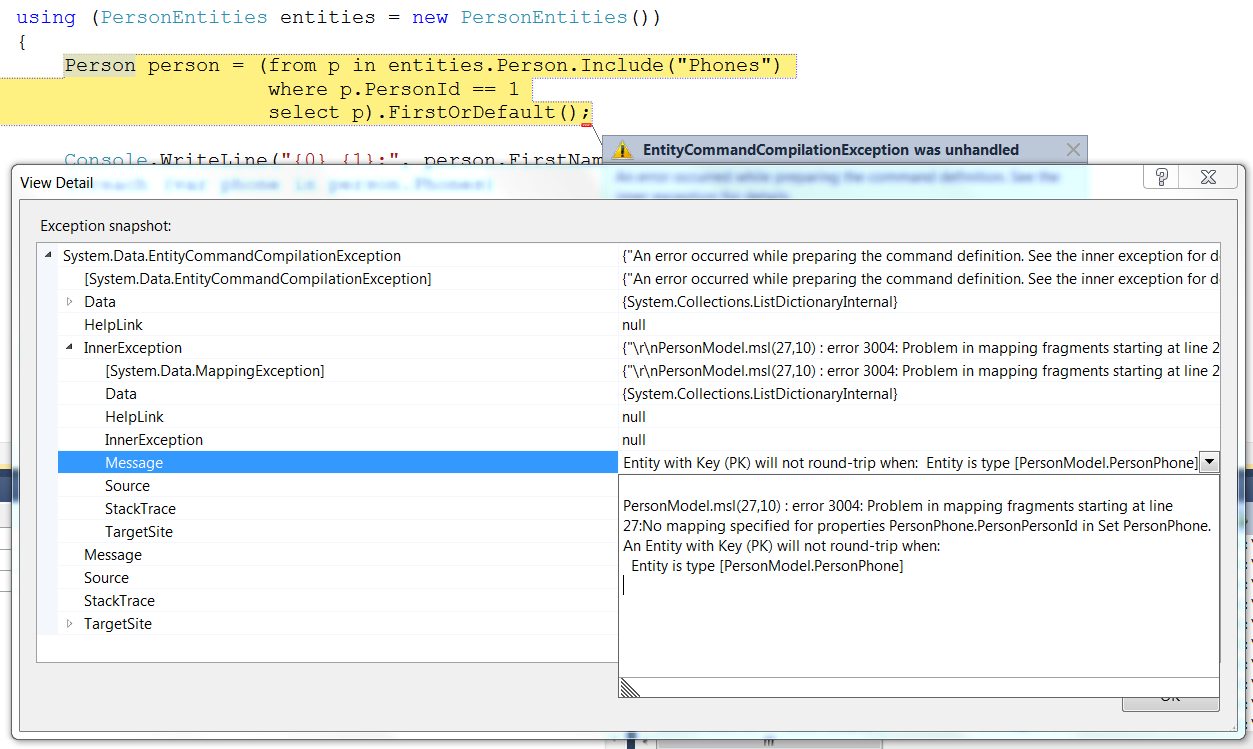
In a table, you would express 1-to-1 or 1-to-many relationships by creating a foreign key relationship. In an entity model, you can do the same with views. For starters, define a new association between two views. The model looks good now, and IntelliSense will help you while building Linq queries against it. However, your missing an important ingredient: the physical model doesn't know to solve the association:
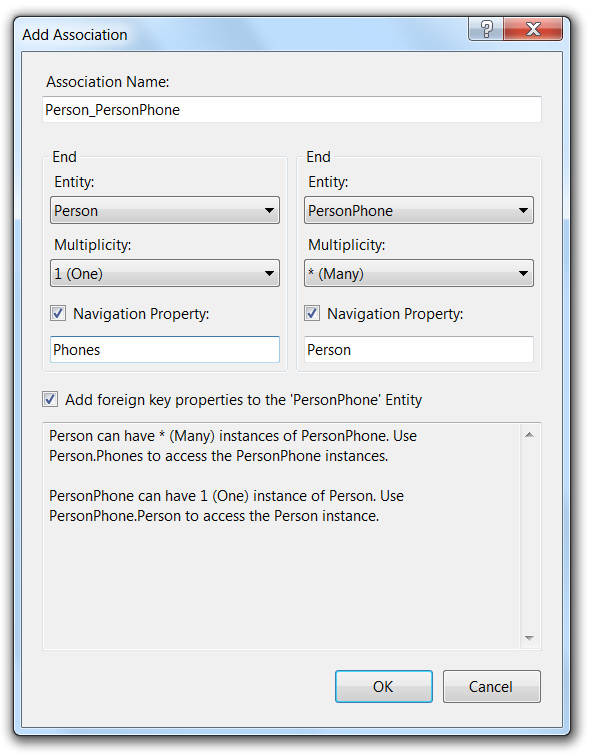
When creating the association, don't forget to check the 'add foreign key properties' box:
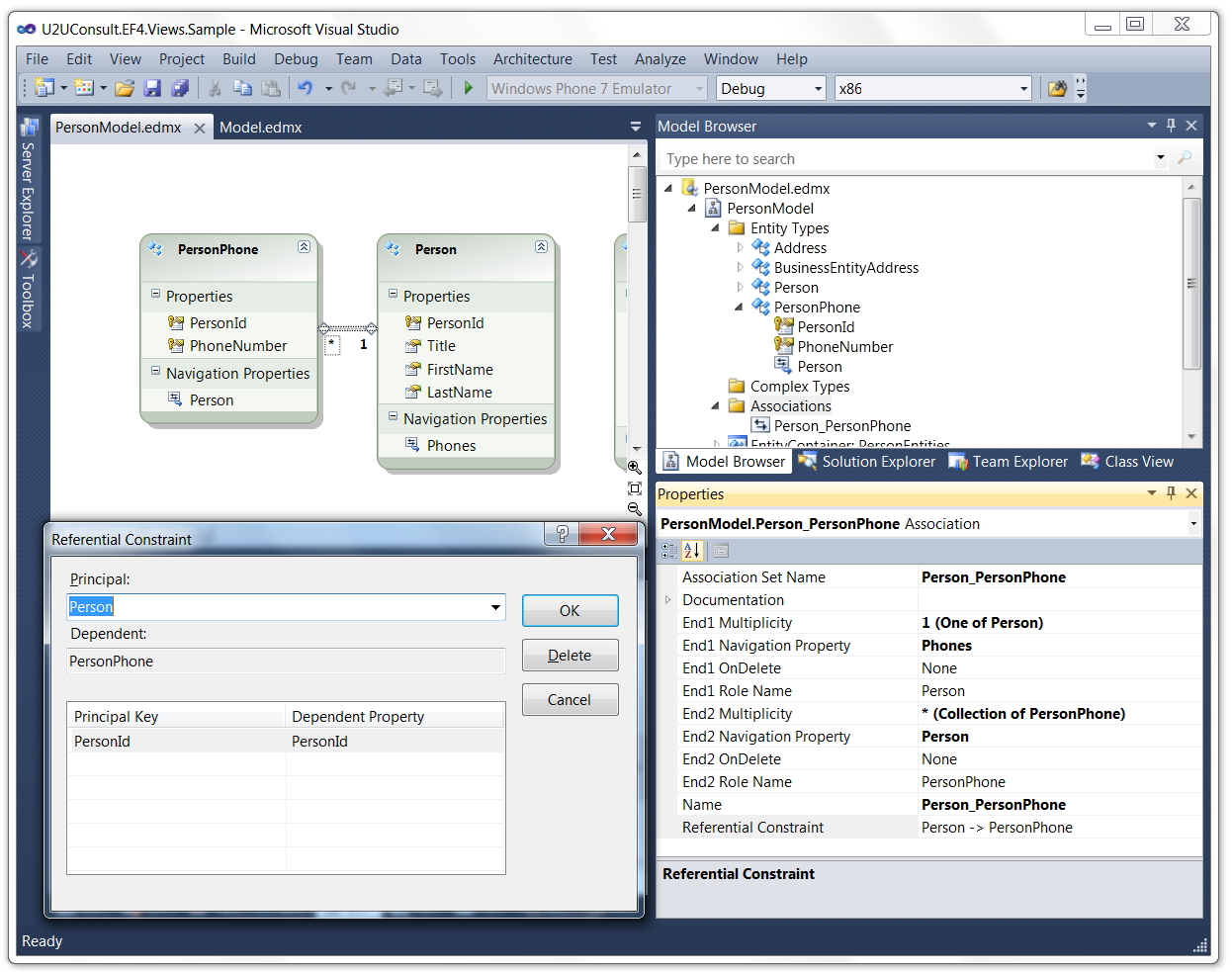
If necessary, you can refine the data store binding by clicking on the ellipsis next to 'referential constraint' in the properties window:
After that, you need to remove the view from the designer. The view is used as entity ànd as association, EF4 does not like that:
Defining many-to-many relationships
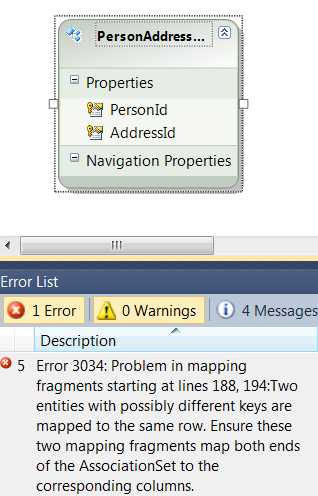
Many-to-many relations are generally implemented through an intermediate table. A many-to-many relationship between two views is built exactly the same way. The AdventureWorks2008 database has an intermediate table between Address and BusinesEntity (= Person): BusinessEntityAddress. Unfortunately we can't use this table to carry the association. Strangely enough the entity framework requires that all its physical (SSDL) primary key fields should be mapped. Using that table as the glue between Persons and Addresses yields the following error:
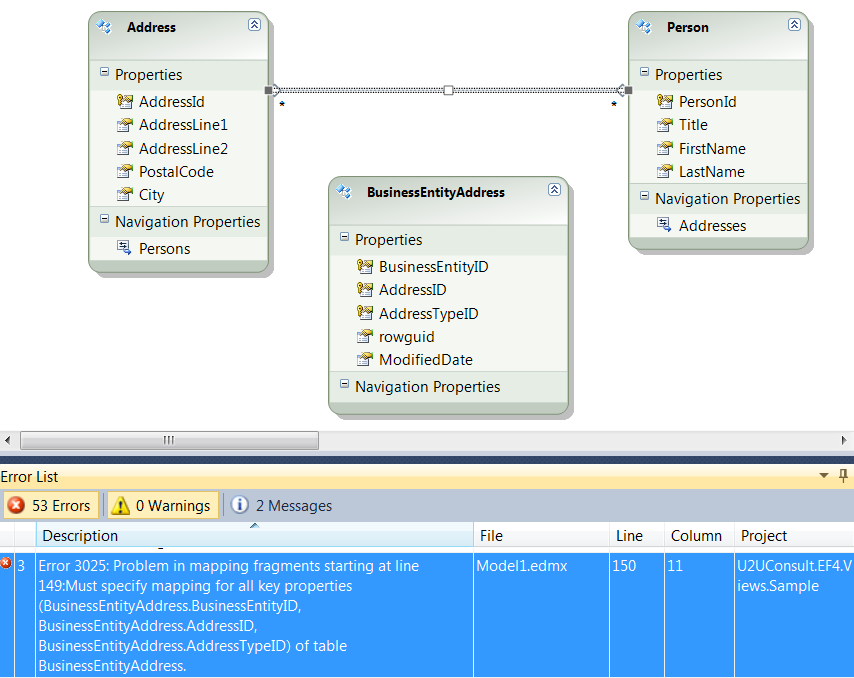
As a work around, you could define the link table as a view:
CREATE VIEW U2UConsult.PersonAddress WITH SCHEMABINDING
AS
SELECT DISTINCT BusinessEntityID AS PersonId,
AddressID AS AddressId
FROM Person.BusinessEntityAddress
Then add it to the entity model, and map the association to it. The foreign key checkbox will be disabled for many-to-many associations:
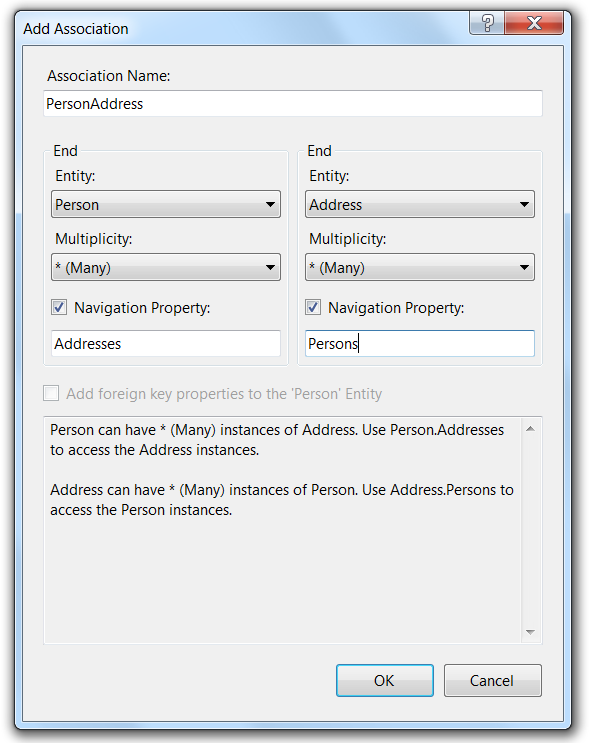
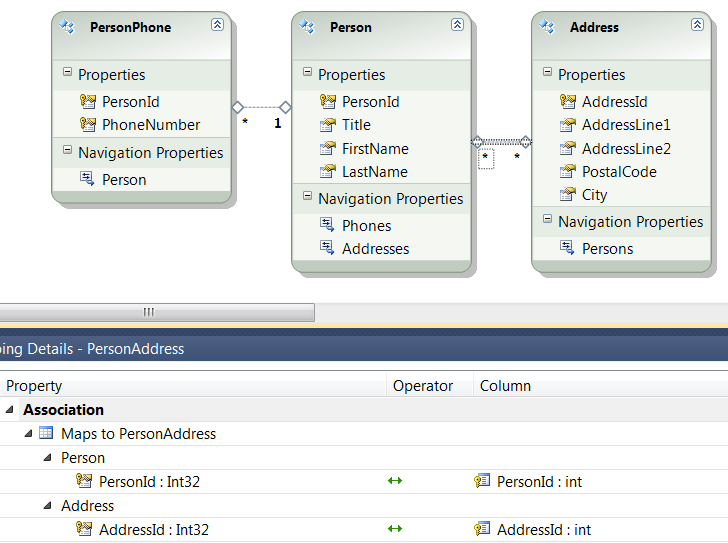
Both types of associations were created using the designer. I didn't need to manually tweak the SSDL-part of the model. So when we upgrade it from the database they will remain intact.
Querying the views
For Linq it doesn't matter where the data comes from, so you use the views like you would use a table:
Person person = (from p in entities.Person.Include("Phones"
where p.PersonId == 1
select p).FirstOrDefault();
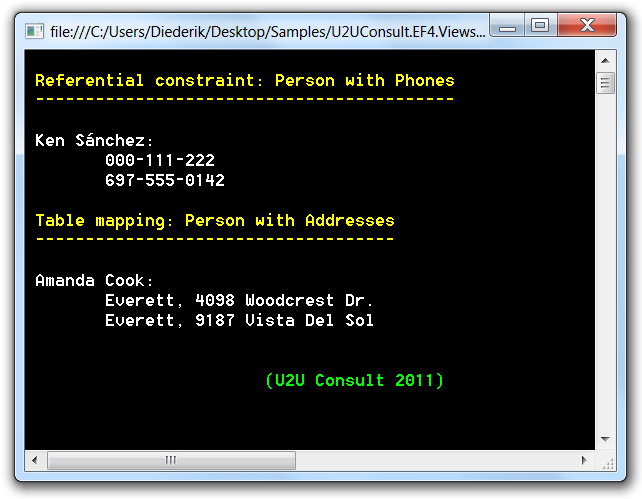
This gives the following result:
If EF4 performance matters to you, you might want to (re-)read this article.
Source
Here's the sample project, all SQL queries are included: U2UConsult.EF4.Views.Sample.zip (14,33 kb)
Enjoy!