Add Search support for Add Reference

Visual Studio 2010 now comes packed with too many assemblies. The list of assemblies to pick from in the Add Reference dialog is now a little too large for my taste. Today, while browsing around in the Visual Studio 2010 Extension Manager, I found the Search References extension:

image

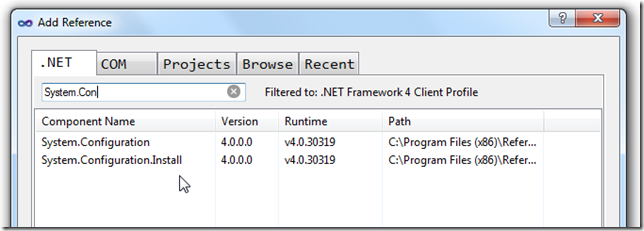
After installing it my Add Reference dialog now looks like this:
image

And typing in the search box instantly filters the list of assemblies. Nice. Microsoft should have provided this out of the box! It is also a nice sample of how extensible Visual Studio is.


July 13. 2010 12:22 PM

Kristof Mattei

I would recommend this plugin: visualstudiogallery.msdn.microsoft.com/.../d0d33361-18e2-46c0-8ff2-4adea1e34fef
It enables you to add and remove references without having to close the window each time (now when you click an assembly and click add, the window closes).

One caveat on this one, since you are Belgian, I suppose you use QWERTY: kristofmattei.be/.../

Kristof Mattei

July 13. 2010 12:23 PM

Kristof Mattei

Update on that last one, since you might use *AZERTY*, you can edit my post Smile

Kristof Mattei

Add comment

  Country flag

biuquote
  • Comment
  • Preview
Loading

Download the U2U brochure

Download Brochure

Receive the U2U Newsletter. Submit your email address:


Search

rss  RSS

Archive